
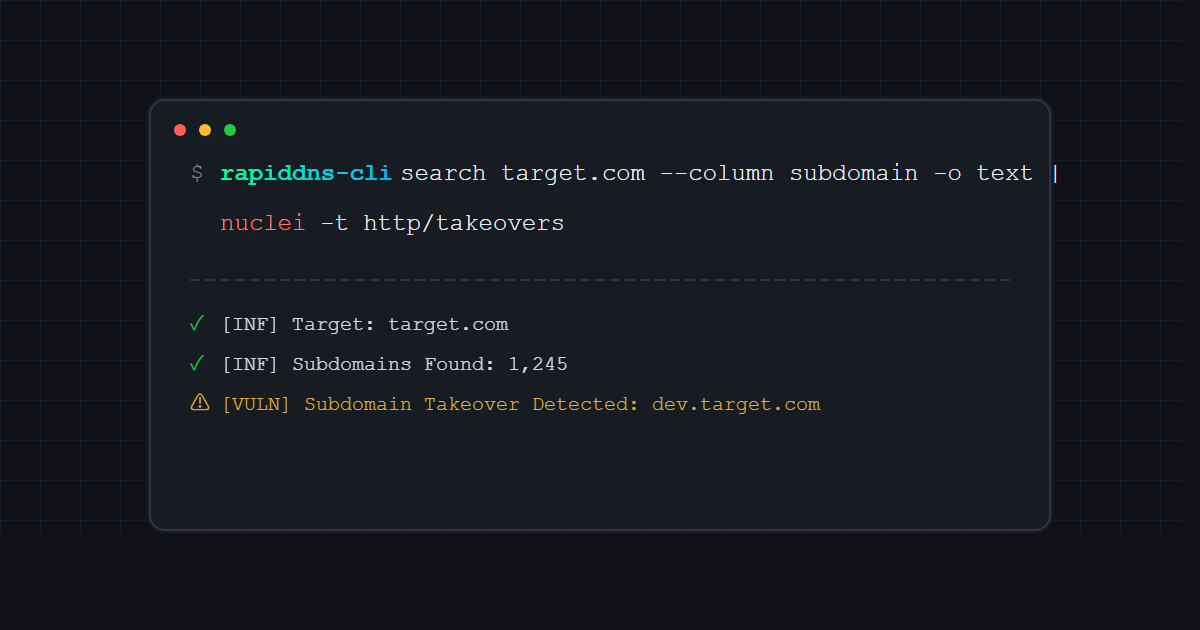
Every Red Teamer and Bug Bounty Hunter knows that Reconnaissance (Recon) is the most critical step. In this phase, not only do your tools need to be powerful, but your data source must be solid.
Today, I want to share a tool combination that I’ve been using heavily for bug bounty hunting: RapidDNS CLI. This is the official CLI tool designed to interact with the RapidDNS full-data API. Its design is perfect for Red Team scenarios: Pipeline support, built-in data cleaning, and automated export. It seamlessly integrates with httpx and nuclei, creating a complete workflow from asset collection to vulnerability scanning.
Note: This tool essentially calls the RapidDNS Advanced API, so you need a PRO or MAX account to get an API Key. The advantage is that as long as you are a member, there are no complex quota limits—just unlimited access to full data. Simple and powerful.
Let’s dive straight into the setup and practical usage.
Step 1: Environment & Installation #
Here are the two fastest ways to get started:
Option 1: Direct Download (Recommended for Beginners) #
No need to install Go. Just go to the Releases page on GitHub and download the zip file for your OS (Windows/Mac/Linux). Unzip it and place the rapiddns-cli binary in a directory accessible from your command line.
Option 2: Go Install (Recommended for Pros) #
If you have a Go environment, you can install the latest version with one command:
go install github.com/rapiddns/rapiddns-cli@latestAfter installation, type rapiddns-cli in your terminal to verify it’s working.
Step 2: Core Configuration (Required) #
To get this engine running, you need to fuel it up—configure your API Key.
1. Get Your API Key #
Log in to the RapidDNS Website and copy your API Key from your profile.
- Kudos to the team: The API has no complex daily quota calculations. As long as you are a member, you can query full data directly, which is incredibly friendly for large-scale scanning.
2. Set the Key #
Once you have the Key, configure it with one command:
rapiddns-cli config set-key "YOUR_API_KEY"Verify the configuration:
rapiddns-cli config get-keyConfiguration complete. You now have permission to query full data.
Trick 1: One-Liner for HTTP Probe #
In the past, we had to run a subdomain tool, save the results to a file, and then feed that file to httpx… too tedious. RapidDNS CLI is designed with many pipeline-friendly parameters.
Scenario: I want to collect all subdomains for tesla.com and immediately check which ones are live Web services.
Combo Command:
rapiddns-cli search target.com --column subdomain -o text | httpx -silent -sc -title -cl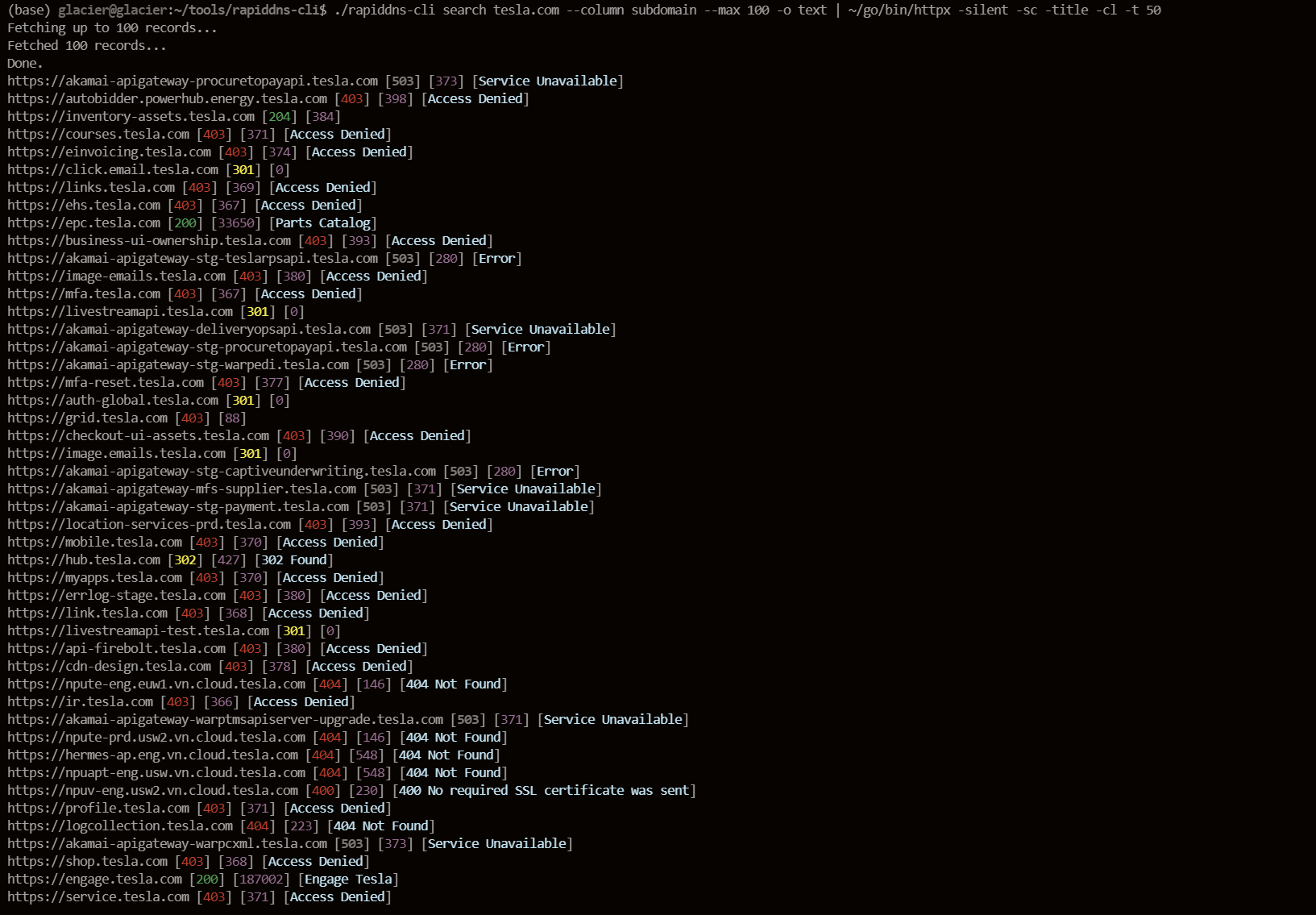
Breakdown:
--column subdomain: Outputs only the subdomain column, no need forawk.-o text: Plain text output, one per line.--silent: Silent mode, suppresses the “Fetching…” progress bar, outputting only clean data for the pipe.| httpx ...: Feeds directly into httpx, showing you web fingerprints and status codes instantly.
From collection to probing in seconds.
Trick 2: Automated Subdomain Takeover #
Subdomain takeover is a favorite for many bounty hunters. We can feed the subdomains collected by RapidDNS directly into Nuclei.
Combo Command:
rapiddns-cli search google.com --column subdomain -o text| nuclei -t http/takeovers -o takeover_results.txt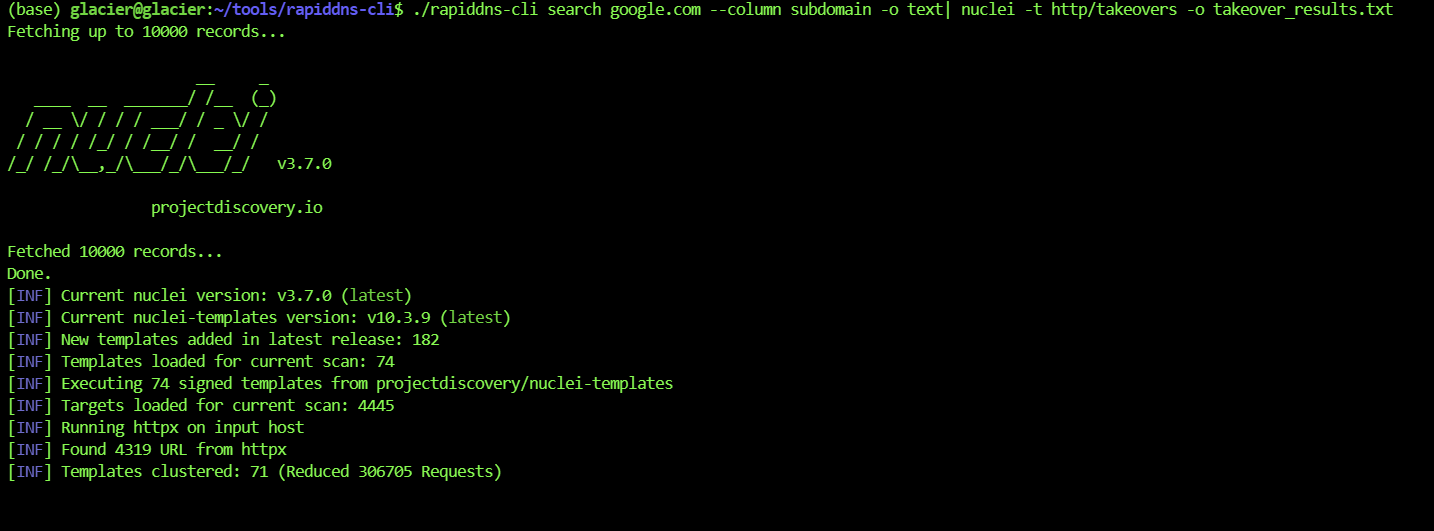
How much faster is this than manually checking a website and copy-pasting? With cron jobs, you can even run this daily on new assets.
Trick 3: Precision Strikes with Advanced Syntax #
Everyone can do basic subdomain searches, but the real power of RapidDNS CLI lies in its support for Advanced Query.
Often, we don’t want to see all records; we just want to find the “low-hanging fruit.” For example: I only want subdomains with CNAME records (since CNAMEs are most prone to takeovers).
Use the --type advanced parameter:
# Find all CNAME records under apple.com
rapiddns-cli search "domain:apple AND tld:com AND type:CNAME" --type advanced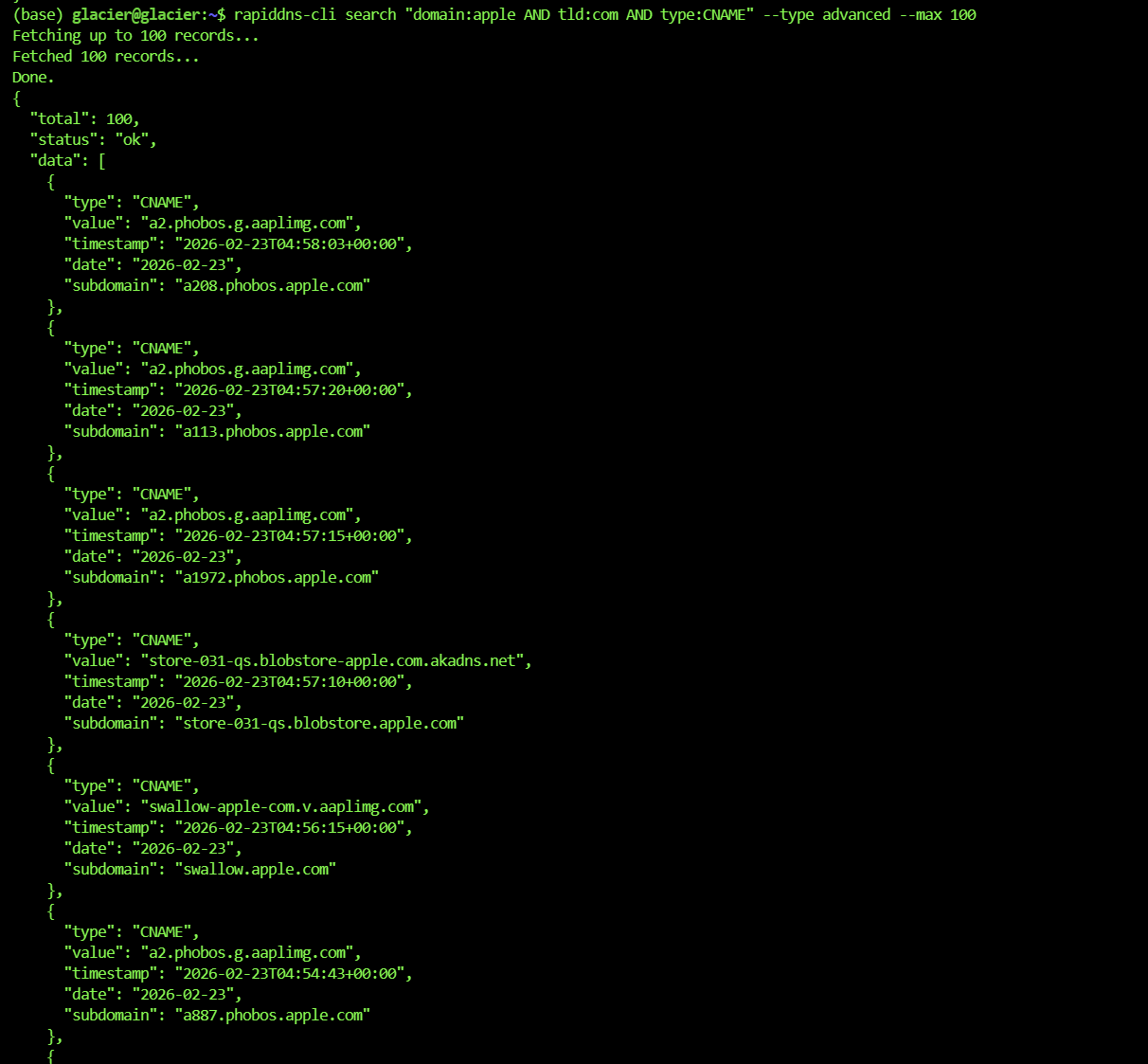
Or find all A records within a specific IP range:
# Pinpoint assets in a specific C-class subnet
rapiddns-cli search "value:8.8.8.8/24 AND type:A" --type advanced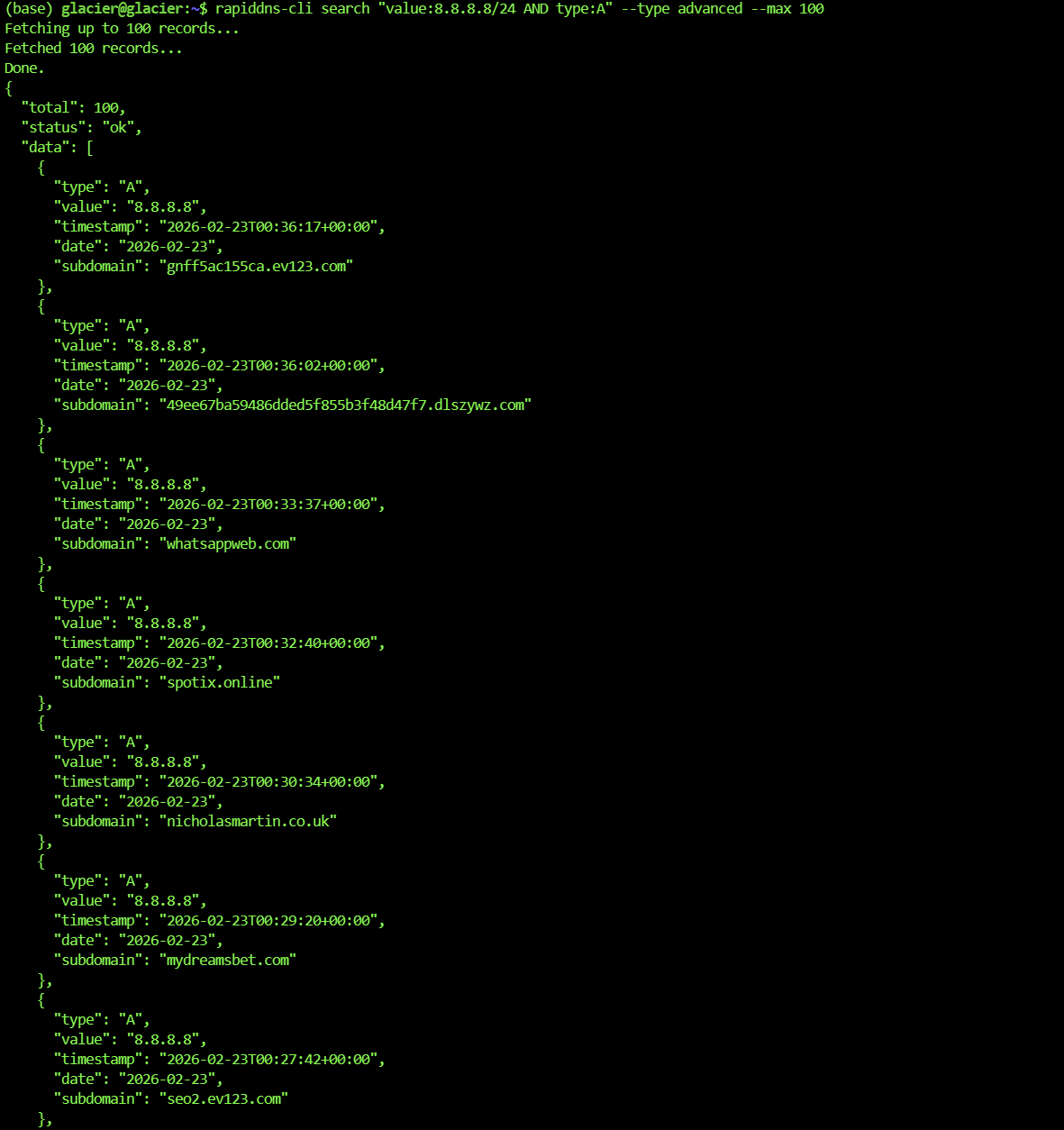
This granular querying helps you filter out massive amounts of noise and zero in on the assets most likely to have issues. It works even better with the export function.
Trick 4: Automated Data Cleaning & IP Stats #
When you get tens of thousands of subdomains, what’s the biggest headache?
- Deduplication (too many duplicates).
- IP Subnet Analysis (seeing which C-class subnets host the most assets for internal penetration or further scanning).
RapidDNS CLI has built-in data cleaning, saving you from writing scripts.
Command:
rapiddns-cli search target.com --extract-subdomains --extract-ips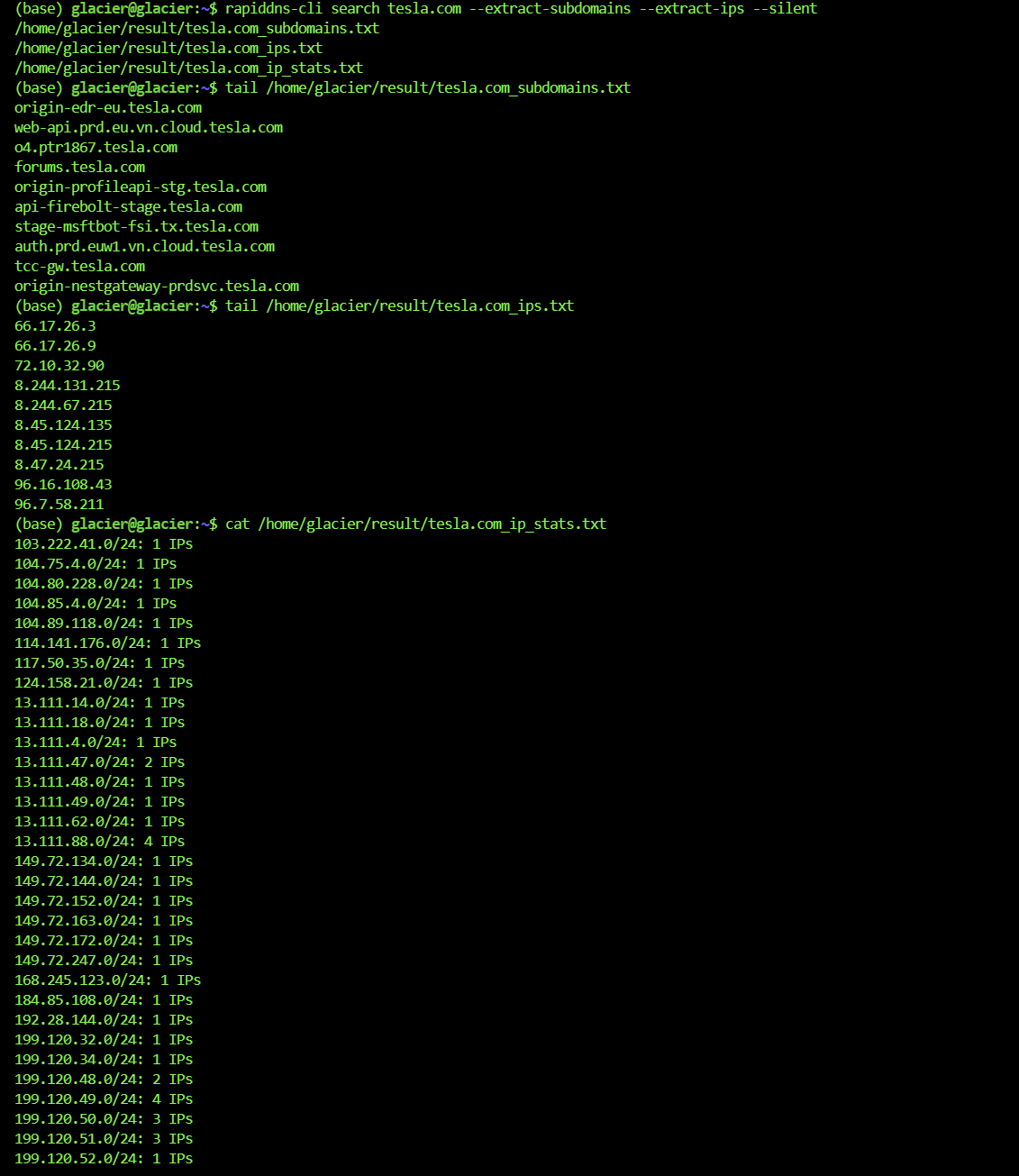
Run this, and three files will be automatically generated in your result/ directory:
target.com_subdomains.txt: Clean, deduplicated list of subdomains.target.com_ips.txt: Clean, deduplicated list of IPs.target.com_ip_stats.txt: IP Subnet Statistics Report! 👇
The IP Stats Report looks like this (Super Useful):
1.2.3.0/24: 52 IPs
5.6.7.0/24: 12 IPs
...
You can instantly spot which C-subnet is the main target zone and scan ports there with a high hit rate.
Ultimate Move: Mass Data Automated Export #
If you are dealing with a massive target like google.com, or you need to pull hundreds of thousands of records at once, the standard search command might fail due to slow pagination or network fluctuations.
This is where Export Mode comes in. Designed for API users, this runs tasks entirely in the cloud and downloads them automatically when finished.
And yes, Export Mode also supports Advanced Syntax!
# Start export task: Export all CNAME records for apple.com and automatically extract subdomains
rapiddns-cli export start "domain:apple AND type:CNAME" --type advanced --extract-subdomains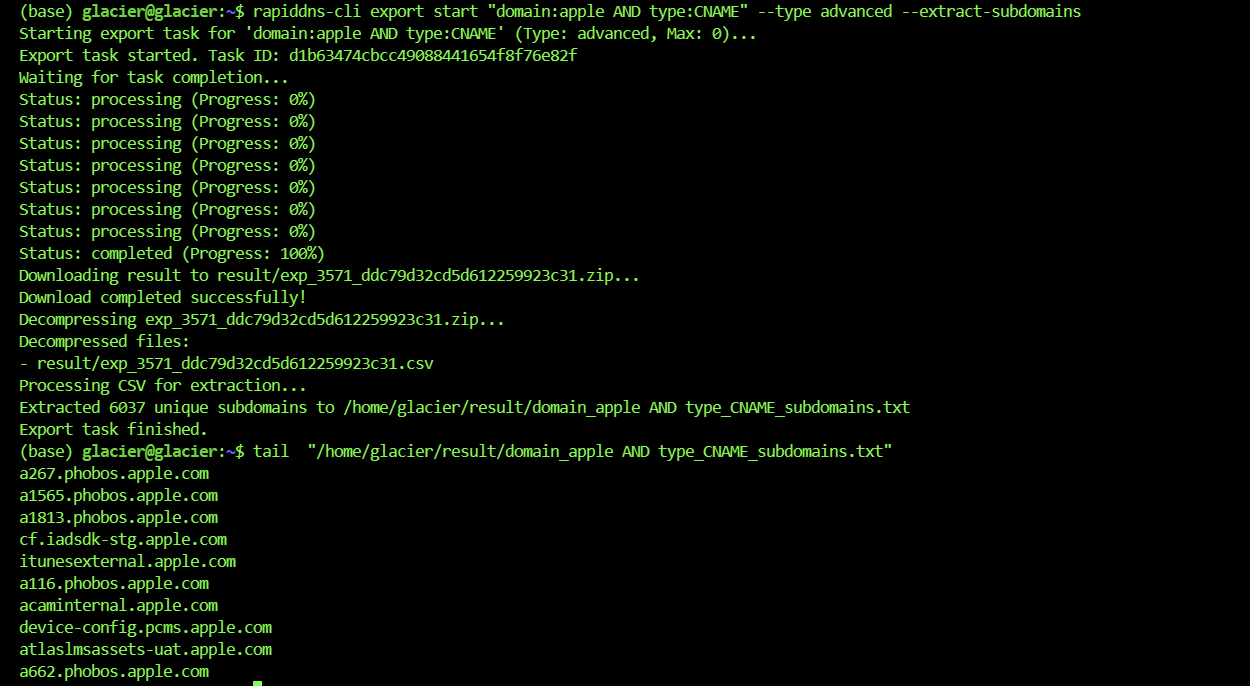
It automatically executes the following workflow:
- Submits the task to the cloud.
- Polls the status automatically (go grab a coffee).
- Automatically downloads the ZIP file upon completion.
- Automatically unzips it.
- Automatically parses the CSV and generates your clean txt files.
For large companies with millions of assets, this feature is a lifesaver—no timeouts, no local memory crashes.
Summary #
RapidDNS CLI is not just a query tool; it’s an Asset Data “Connector”.
- For Beginners: Download from GitHub, set your Key, and you’re good to go. Simple.
- For Pros: Use Advanced Search for precision filtering, combined with Pipelines feeding into Nuclei—this is the correct posture for automated bug hunting.
Try it out. Leave the tedious collection work to automation and save your energy for the real vulnerability mining!
Note: The penetration testing content in this article is for security research and educational purposes only. Do not use it for illegal purposes.